
What is Locktera?
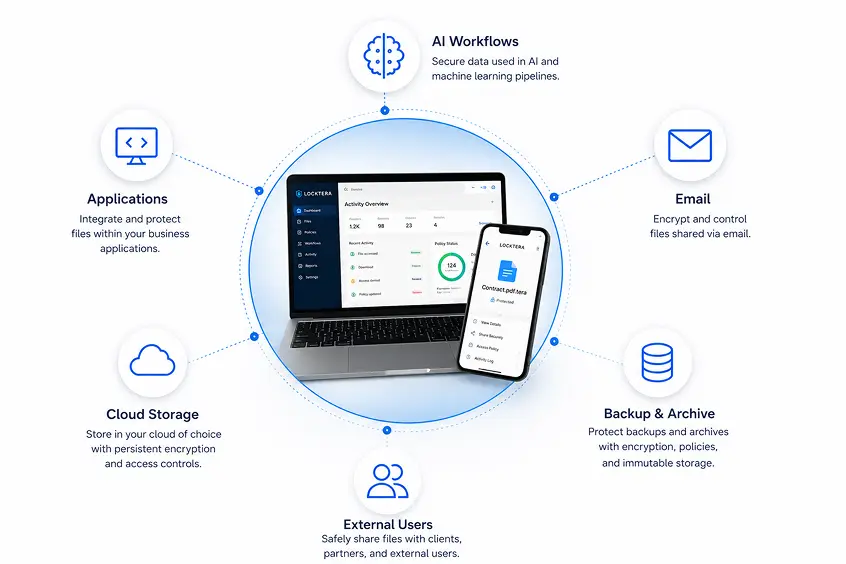
Locktera is a persistent data governance and security platform that protects sensitive files throughout their lifecycle.
Instead of relying only on the security of the system where a file is stored. Locktera attaches encryotion, access rules, DRM policies, immutability ad audit trails directly to the file—so those protections remain enforceable wherever the file is stored, shared or used.
Encryption
AES-256 with quantum-safe security for long-term protection.
Immutability
Content cannot be modified, replaced or deleted.
Access Controls
Define who can access, internal only, and define location.
Revocation
Change or remove access after distribution.
Usage Rights
View-only, require password, download and sharing restrictions.
Auditability
Complete visibility into file activity.
How Does Locktera Work?
Persistent security and governance follow the file wherever it moves.
1. Protect
The file is encrypted before it leaves a trusted environment.
2. Apply Policy
Access controls, usage rules and expiration dates are attached.
3. Store or Share
The protected file moves through applications, cloud, email, AI workflows or external environments.
4. Verify Access
Identity and policy are evaluated every time the file is opened.
5. Audit Activity
All access, downloads, denials and policy events are recorded.
Why Traditional Security Isn't Enough
Traditional security protects the system or storage location. Once a file is downloaded, copied, shared or introduced into an AI workflow, those protections may no longer apply.
Locktera protects the content itself—so your security travels with the file, not just the folder.
Traditional Security
Protects the system or storage location
May lose visibility after download
Depends on repository permissions
Revocation may stop at the application boundary
Locktera Persistent Security
Protect the individual file
Re-evaluates access wherever it resides
Maintins control after distribution
Access can be revoked at the file level
What Makes
Locktera Different?
Locktera was built for a world where data moves fast and threats evolve faster. Our platform combines deep security with unmatched flexibility.
See Our Security ApproachQuantum-Resistant Encryption
Protect today's data from tomorrow's threats with post-quantum-ready cryptography.
Persistent Governance
Policies stay attached to your data—access, usage rights, expiration and revocation follow the file.
Immutable Protection
Files are protected in immutable containers that cannot be modified or tampered with.
Zero-Knowledge Architecture
We never see your data. You maintain full control of encryption keys and access policies.
Encrypted Deduplication
Reduce storage costs without sacrificing privacy. Deduplicate encrypted data at rest and in backup.
Why Locktera Works
Create File
A file is created or uploaded in an application, workflow, or system.
Encrypt
The file is protected with quantum-resistant encryption before it is stored or shared.
Apply Policies
Access rules, DRM permissions, recipients, and usage rights are attached to the file.
Immutable Container
Locktera creates a protected container that cannot be modified or tampered with.
Store Anywhere
The container can be stored in cloud, on-premises, backup, email, or any storage environment.
Verify Identity
Every access request is verified against identity, policy, and context before decrypting.
Audit Everything
All access, downloads, denials, and policy changes are recorded in an audit trail.
Which Locktera Solution Is Right for You?
I want to...
Best Solution
Secure email attachments
Locktera Share™Add security to my application
Locktera CORE™Secure AI workflows
Locktera CORE™Reduce cloud storage costs
Encrypted Deduplication™Protect backups & archives
CORE™ + Deduplication™Secure external collaboration
Locktera Share™Protect surveillance and evidence
Locktera CORE™DEVELOPER PLATFORM
Locktera Core™
For Developers and Applications
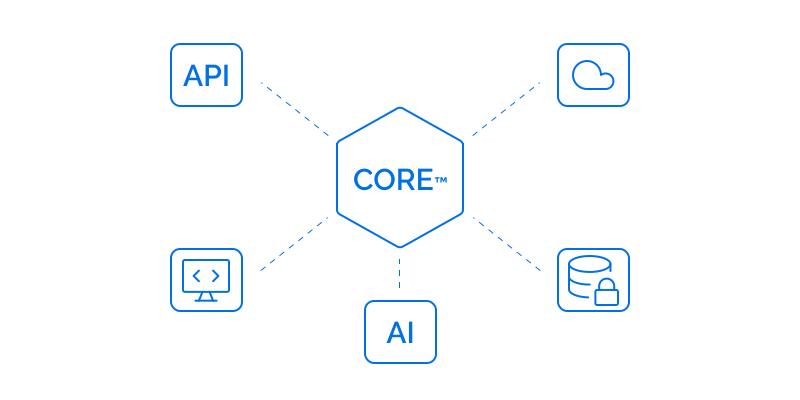
APIs and SDKS to embed persistent security, DRM and governance into any application or AI workflow.
Rest APIs & SDKs
AI & RAG workflow protection
Fine-grained access control
Audit trails & revocation
SECURE COLLABORATION
Locktera Share™
For Secure Collaboration
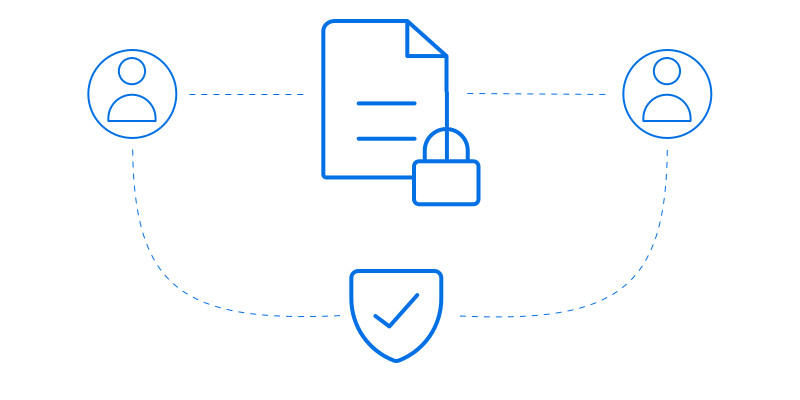
Securely send and share files with full control—directly from Outlook or the web. No attachments. Just secure links.
Outlook Add-in (up to 2 GB)
Web portal (up to 1 TB)
Expiration & revocation
Read receipts & analytics
STORAGE OPTIMIZATION
Locktera Vault™
For Encrypted Deduplication
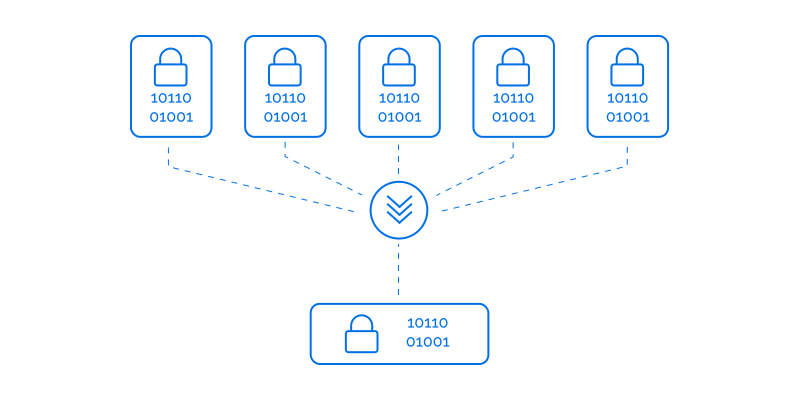
Reduce storage costs and improve backup with client-side encrypted deduplication and immutable versions.
Deduplicates encrypted data
Immutable, versioned archive
Lower storage costs
Backup & archive optimization

AI & Data Science
Protect prompts, datasets, models and outputs across AI and LLM workflows.
Healthcare
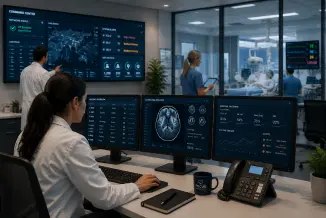
Secure patient data, imaging, and research across every point of care.

Legal & Professional Services
Maintain client confidentiality with persistent governance and auditability.

Financial Services
Protect sensitive customer and financial data across hybrid environments.

Public Safety & Government
Preserve evidence integrity and chain of custody with immutable protection.

Media & Entertainment
Secure high-value content, assets, and collaborations across teams.
Frequently Asked Questions
What is Locktera?
Locktera is a persistent data security platform that protects files with encryption, access controls, governance policies, and audit trails that remain with the file wherever it is stored or shared. Unlike traditional security that protects only networks or storage, Locktera secures the data itself.
How is Locktera different from traditional cybersecurity solutions?
Traditional security products focus on protecting networks, devices, cloud environments, or storage systems. Once a file leaves those environments, protection is often lost. Locktera embeds security directly into the file so encryption, access controls, and governance remain in effect across applications, email, cloud storage, AI workflows, backups, and external collaboration.
What is persistent data security?
Persistent data security means security stays with the file itself—not the infrastructure. Every protected file carries its own encryption, access policies, Digital Rights Management (DRM), and audit capabilities wherever it is copied, stored, or shared.
What problems does Locktera solve?
Locktera helps organizations:
- Protect sensitive files wherever they travel
- Secure AI workflows and Retrieval-Augmented Generation (RAG) systems
- Secure email attachments and external collaboration
- Protect cloud storage and backups
- Reduce storage costs with encrypted deduplication
- Improve compliance with detailed audit trails and access controls
How does Locktera work?
Locktera follows a simple workflow:
- Encrypt the file before it leaves a trusted environment.
- Attach security policies and access controls.
- Store or share the protected file anywhere.
- Verify identity every time the file is opened.
- Record all access and policy events in a complete audit trail.
Because security is embedded into the file, protection remains in place regardless of where the file is stored.
What products are included in the Locktera portfolio?
The Locktera portfolio includes:
- Locktera CORE™ — APIs and SDKs for developers to embed persistent security into applications and AI workflows.
- Locktera Share™ — Secure file sharing and Outlook integration for protecting email attachments and external collaboration.
- Encrypted Deduplication™ — Client-side encrypted deduplication for reducing storage costs while maintaining security and immutable versions.
Can Locktera secure AI applications?
Yes. Locktera helps developers secure AI applications by protecting prompts, datasets, Retrieval-Augmented Generation (RAG) content, generated responses, and documents with persistent encryption, access controls, and governance policies.
Can Locktera secure Microsoft Outlook email attachments?
Yes. Locktera Share™ integrates with Microsoft Outlook, allowing users to securely send encrypted attachments without changing how they use Outlook. Recipients receive secure links instead of unprotected email attachments.
Can Locktera be embedded into my application?
Yes. Locktera CORE™ provides REST APIs and SDKs that allow developers to integrate encryption, Digital Rights Management (DRM), access controls, audit trails, and persistent governance directly into applications, workflows, and enterprise platforms.
Does Locktera replace cloud security?
No. Locktera complements cloud security. Cloud providers secure their infrastructure, while Locktera secures the files themselves. Together they provide defense in depth by protecting both the environment and the data.
Where can protected files be stored?
Protected Locktera files can be stored in virtually any environment, including:
- Microsoft 365
- Google Workspace
- AWS
- Microsoft Azure
- Google Cloud
- Backup platforms
- On-premises storage
- External hard drives
- Email systems
- Business applications
Security remains with the file regardless of where it is stored.
What access controls does Locktera support?
Locktera supports granular policy controls including:
- Authorized recipients
- User and group permissions
- View-only access
- Download restrictions
- Expiration dates
- Time-based access
- IP restrictions
- Location-based policies
- Revocation after sharing
Can I revoke access after sharing a file?
Yes. File owners can revoke access to specific recipients or entire protected files at any time. Once access is revoked, previously distributed files can no longer be opened by unauthorized users.
Does Locktera provide audit trails?
Yes. Locktera records detailed audit information including:
- File opens
- Downloads
- Access denied events
- Policy changes
- Recipient identity
- IP address
- Approximate location
- Time and date of access
These audit trails help organizations meet security, compliance, and governance requirements.
Does Locktera support encrypted deduplication?
Yes. Locktera’s Encrypted Deduplication™ technology reduces redundant storage while preserving client-side encryption and immutable version history. Organizations can lower cloud storage and backup costs without sacrificing security.
Is Locktera suitable for regulated industries?
Yes. Locktera is designed for organizations that need to protect sensitive information in industries such as healthcare, financial services, legal, government, education, media, manufacturing, and critical infrastructure. Its encryption, access controls, audit capabilities, and governance features help support regulatory and organizational security requirements.
Why should organizations choose Locktera?
Locktera enables organizations to protect their most valuable asset—their data—wherever it travels. Instead of relying solely on network or infrastructure security, Locktera delivers persistent protection that follows files across applications, AI workflows, cloud storage, backups, email, and external collaboration while giving organizations continuous control and visibility.
Protect Your Data Wherever It Goes
Locktera keeps your files secure, governed, and auditable across every application, workflow, user, and storage environment—today and in the quantum future.