

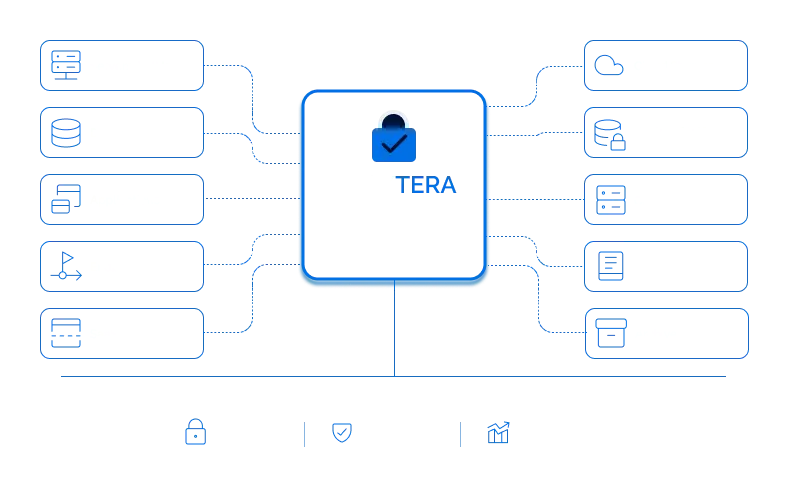
Why Traditional Backup Security Isn't Enough
Most backup platforms secure storage infrastructure, but once backup data is restored, copied, or exported, sensitive information may no longer be protected.
Locktera secures the files themselves before they are written to backup storage, ensuring protection continues wherever backup data is restored or moved.
Built for Modern Backup Environments
Cloud Backup
Secure backup data stored in AWS, Azure, Google Cloud, Wasabi, and S3-compatible storage.
Disaster Recovery
Protect replicated backups across recovery regions and disaster recovery sites.
Long-Term Archives
Secure batches of data for years while preserving integrity and long-term retention.
Immutable Storage
Protect backup data from modification or tampering at any stage.
Hybrid Environments
Maintain consistent security across cloud and on-premises storage.
Offline Storage
Protect backup data before it is exported, transferred, or stored offline.
Air-Gapped Backups
Encrypt backup data before it is exported or moved to disconnected storage.
Secure Backup with Locktera
Protect the Data
Encrypt backup files before they are written to storage so protection stays with the data itself.
Prevent Tampering
Store backup files in immutable containers to help defend against ransomware, accidental changes, and unauthorized modification.
Recover with Confidence
Maintain the integrity and confidentiality of backup data throughout recovery, replication, and long-term retention.
Meet Compliance Requirements
Support backup security strategies for regulated industries with persistent protection, auditability, and strong encryption.
Why Organizations Choose Locktera for Backup
Defend Against Ransomware
Immutable, encrypted backups help protect critical data from encryption attacks and unauthorized modification.
Protect Data Beyond the Backup Platform
Security stays with the backup files wherever they are restored, copied, or archived.
Keep Your Existing Infrastructure
Continue using your preferred backup software and cloud storage while adding persistent protection.
Support Compliance
Help meet security and data protection requirements with strong encryption, immutability, and audit capabilities.
Reduce Operational Risk
Protect backup data throughout its lifecycle—from creation to long-term retention.
How Locktera Secures Your Backup & Archive Data

Applications
& Data Sources
Your data is generated across any environment.

Backup Software
Data is backed up using your existing backup solutions.

Locktera Secure
Data Gateway
Files are encrypted with AES-256 on the client side and converted into immutable Locktera containers.
Immutable Encrypted
Backup
Protected files remain encrypted, immutable, and secure throughout their lifecycle.

Your Storage
Store in your environment across AWS, Azure, Google Cloud, Wasabi, or on-premises storage.




Protect every backup. Recover with confidence.
Frequently Asked Questions
How does Locktera secure backup data?
Locktera Secure Data Gateway encrypts files with AES-256 on the client side before they are written to backup storage. Files are stored as immutable Locktera containers, ensuring they remain protected regardless of where they are stored or restored.
Does Locktera replace my existing backup software?
No. Locktera works alongside your existing backup platform. Continue using solutions like Veeam, Rubrik, Cohesity, Dell, Commvault, or other backup software while Locktera adds persistent encryption and immutable protection before data is stored.
Can I continue using my existing storage?
Yes. Locktera stores protected backup files in your existing storage environment, including AWS, Microsoft Azure, Google Cloud, Wasabi, S3-compatible storage, and on-premises object storage.
Are backup files encrypted before they leave my environment?
Yes. Encryption occurs on the client side before data is transmitted to storage, helping protect backup data from interception and unauthorized access.
Can Locktera protect data after it is restored from backup?
Yes. Unlike traditional backup encryption that primarily protects stored backup media, Locktera protects the backup files themselves. Security remains with the file whether it is restored, copied, moved, archived, or stored in another location.
What makes Locktera different from backup encryption?
Traditional backup encryption primarily protects storage infrastructure or encrypted volumes. Locktera protects each individual backup file before it is stored, allowing security to remain with the file throughout its lifecycle.
Can backup files be restored normally?
Yes. Protected backup files can be restored through your normal recovery workflow. Locktera secures the files without requiring changes to your backup or storage architecture.
Does Locktera support immutable backups?
Yes. Files are stored as immutable Locktera containers, helping prevent unauthorized modification or tampering after backup.
Does Locktera work for long-term archives?
Yes. Locktera is designed for both active backups and long-term archival storage, helping organizations preserve data integrity over years of retention.
Does Locktera work with cloud and on-premises storage?
Yes. Locktera supports hybrid environments, allowing organizations to protect data stored on-premises, in public cloud storage, or across multiple cloud providers.
Is Locktera suitable for ransomware protection?
Locktera helps strengthen ransomware resilience by encrypting backup data before storage and storing files in immutable containers, making unauthorized modification significantly more difficult. It should be used as part of a comprehensive backup and recovery strategy.
Which industries use Locktera Secure Backup & Archive?
Organizations in healthcare, financial services, government, legal, manufacturing, media, and other regulated industries use Locktera to protect backup and archive data containing sensitive information.